
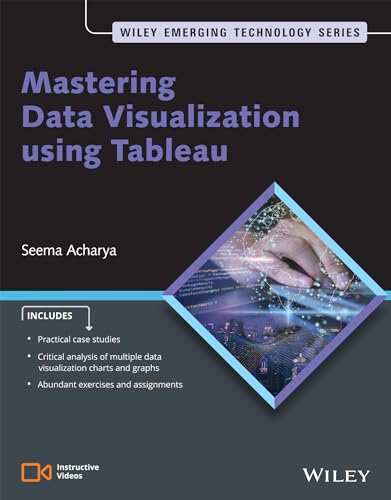
Mastering data visualization using tableau / By Seema Acharya.
Material type: TextPublication details: New Delhi : Wiley , 2024.Edition: 1st edDescription: xxiv,576p. ; PB 23.9 cmISBN:
 - 9789357462952
- 1 005.76812 ACHS
| Item type | Current library | Collection | Call number | Status | Barcode | |
|---|---|---|---|---|---|---|
 Book
Book
|
St Aloysius Institute of Management & Information Technology | MCA | 005.76812 ACHS (Browse shelf(Opens below)) | Available | MCA17372 |
This is an extensive discourse on data visualization. This book provides comprehensive guidance on the practice of data visualization across diverse datasets. The learning experience transcends the mere mastery of Tableau and graph plotting, as it empowers readers to exercise careful consideration when selecting the most suitable chart or graph to effectively convey their data insights.
The ability to understand, visualize, and communicate data is progressively becoming an essential skill for professionals in every field. This book serves as a detailed, step-by-step manual for crafting visualizations and incorporates numerous practical exercises to enable readers to self-assess their understanding and proficiency.
Chapter 1. Introduction to Data Visualization and Tableau
1.1 Data Visualization
1.2 Need for Tableau?
Chapter 2. Connecting to Data Sources
2.1 Connecting to Excel Data Source
2.2 Connect to JSON File
2.3 Connect to Text/Comma Separated Value (CSV) File
2.4 Connect to Microsoft Access Database
2.5 Connecting to RData File
2.6 Connecting to pdf File
2.7 Connecting to a Custom SQL Query
2.8 Data Joining
2.9 Data Blending
2.10 Difference Between Joins and Relationships
2.11 Is Data Blending Different from Relationships in Tableau
Chapter 3. Managing Data
3.1 Grouping Data
3.2 Nested Sort
3.3 Context Filter
3.4 Calendar View
3.5 Sets
3.6 Hierarchies
3.7 Conditional Filter
3.8 Parameters
3.9 Top N and Bottom N Customers by Sales
Chapter 4. Dimensions and Measures
4.1 Dimensions and Measures
4.2 Measure Names and Measure Values
4.3 Discrete and Continuous Field
4.4 Continuous Aggregate Measures
4.5 Discrete Aggregate Measures
4.6 Continuous Disaggregate Measure
4.7 Discrete Disaggregate Measures
Chapter 5. Basic Chart Types
5.1 Pie Chart
5.2 Bar Chart
5.3 Line Chart
5.4 Dual Axis Chart
5.5 Scatter Plot
5.6 Heat Maps
5.7 Cross Tab Tables
5.8 Map
5.9 Histogram
5.10 Box Plot
5.11 Word Cloud
5.12 Bubble Chart
5.13 Combined or Shared Axis Charts
5.14 Gantt Chart
5.15 Pie Chart with User Defined Categories
Chapter 6. Calculations in Tableau
6.1 Parts of a Calculated Field
6.2 String Functions
6.3 Number Functions
6.4 Date Functions
6.5 Logical Functions
6.6 Aggregate Functions
6.7 Aggregate vs. Disaggregate Functions
6.8 Quick Table Calculations
6.9 Level of Detail
6.10 Lookup() Function
6.11 Forecasting
6.12 Reference Line
6.13 Reference Bands
6.14 Distribution Band
6.15 Trend Line
Chapter 7. Advanced Visualization I
7.1 Waterfall Chart
7.2 Funnel Chart
7.3 Pareto Chart
7.4 Donut Charts
7.5 Bump Charts
7.6 Bar in Bar Chart
Chapter 8. Advanced Visualization II
8.1 Motion Chart
8.2 Benford Analysis
8.3 Sparklines
8.4 Tornado Chart or Butterfly Chart
8.5 Progress Bar Chart
8.6 Cohort Analysis
8.7 Control Chart
8.8 Bollinger Bands
Chapter 9. Dashboards and Stories
9.1 Create a Dashboard
9.2 Tableau Stories
9.3 Getting Ready to Create Your First Story
9.4 Best Practices in Data Visualization
About the Author
Seema Acharya is an Associate Vice President and Senior Lead Principal with the Education, Training and Assessment department of Infosys Limited. She is a technology enthusiast, a strategic thinker in the realm of learning, and a dedicated tech writer with over two decades of experience in the information technology industry, particularly in the field of education and learning services. Her career has been marked by the creation and execution of numerous largescale competency development programs on a global scale. These programs encompass every stage from analyzing organizational competency requirements to conceptualization, design, development
There are no comments on this title.
