
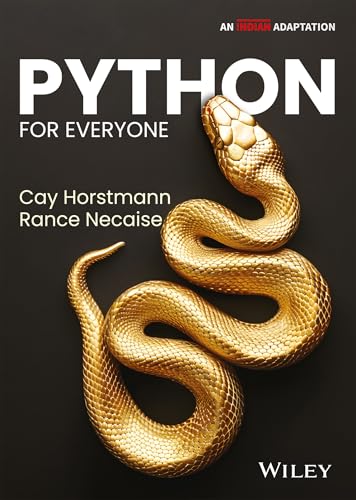
Python for everyone / By Cay Horstmann and Rance Necaise.
Material type: TextPublication details: New Delhi : Wiley , 2024.Edition: 3rd edDescription: xxvii,646,A-30,G-6,I-20p. ; PB 24.5 cmISBN:
 - 9789357465304
- 3 005.1372 HORC
| Item type | Current library | Collection | Call number | Status | Barcode | |
|---|---|---|---|---|---|---|
 Book
Book
|
St Aloysius Institute of Management & Information Technology | MCA | 005.1372 HORC (Browse shelf(Opens below)) | Available | MCA17378 |
Python for Everyone, 3rd Edition is renowned for its clear, accessible language and its practical approach to learning. It is suitable for course in programming for computer scientists, engineers, and students in other disciplines. Starting with the fundamentals and progressing to sophisticated programming techniques, the book covers essential topics such as data structures, algorithms, object-oriented programming, and even dives into Python's powerful applications in data science and machine learning. It empowers readers to not just understand Python syntax but to also apply it effectively to solve real-world problems
1 INTRODUCTION TO PROGRAMMING
1.1 Computer Programs
1.2 The Anatomy of a Computer
Computing & Society 1.1 Computers Are Everywhere
1.3 The Python Programming Language
1.4 Becoming Familiar with Your Programming Environment
Programming Tip 1.1 Interactive Mode
Programming Tip 1.2 Backup Copies
Special Topic 1.1 The Python Interpreter
1.5 Analyzing Your First Program
1.6 Errors
Common Error 1.1 Misspelling Words
1.7 Problem Solving: Algorithm Design
Computing & Society 1.2 Data Is Everywhere
How To 1.1 Describing an Algorithm with Pseudocode
Worked Example 1.1 Writing an Algorithm for Tiling a Floor
CHAPTER SUMMARY
MULTIPLE CHOICE QUESTIONS
FILL IN THE BLANKS
REVIEW EXERCISES
PROGRAMMING EXERCISES
TOOLBOX QUESTIONS
GRAPHIC QUESTIONS
REAL-WORLD BUSINESS CHALLENGES
EXPLORING SCIENCE THROUGH PYTHON
DECODING JOB INTERVIEWS
2 PROGRAMMING WITH NUMBERS AND STRINGS
2.1 Variables
2.1.1 Defining Variables
2.1.2 Number Types
2.1.3 Variable Names
2.1.4 Constants
2.1.5 Comments
Common Error 2.1 Using Undefined Variables
Programming Tip 2.1 Choose Descriptive Variable Names
Programming Tip 2.2 Do Not Use Magic Numbers
2.2 Arithmetic
2.2.1 Basic Arithmetic Operations
2.2.2 Powers
2.2.3 Floor Division and Remainder
2.2.4 Calling Functions
2.2.5 Mathematical Functions
Common Error 2.2 Roundoff Errors
Common Error 2.3 Unbalanced Parentheses
Programming Tip 2.3 Use Spaces in Expressions
Special Topic 2.1 Other Ways to Import Modules
Special Topic 2.2 Combining Assignment and Arithmetic
Special Topic 2.3 Line Joining
2.3 Problem Solving: First Do It By Hand
Worked Example 2.1 Computing Travel Time
2.4 Strings
2.4.1 The String Type
2.4.2 Concatenation and Repetition
2.4.3 Converting Between Numbers and Strings
2.4.4 Strings and Characters
2.4.5 String Methods
Special Topic 2.4 Character Values
Special Topic 2.5 Escape Sequences
Computing & Society 2.1 International Alphabets and Unicode
2.5 Input and Output
2.5.1 User Input
2.5.2 Numerical Input
2.5.3 Formatted Output
Programming Tip 2.4 Don’t Wait to Convert
How To 2.1 Writing Simple Programs
Worked Example 2.2 Computing the Cost of Stamps
Computing & Society 2.2 Bugs in Silicon
2.6 Graphics: Simple Drawings
2.6.1 Creating a Window
2.6.2 Lines and Polygons
2.6.3 Filled Shapes and Color
2.6.4 Ovals, Circles, and Text
How To 2.2 Graphics: Drawing Graphical Shapes
TOOLBOX 2.1 Symbolic Processing with SymPy
CHAPTER SUMMARY
MULTIPLE CHOICE QUESTIONS
FILL IN THE BLANKS
REVIEW EXERCISES
PROGRAMMING EXERCISES
TOOLBOX QUESTIONS
GRAPHIC QUESTIONS
REAL-WORLD BUSINESS CHALLENGES
EXPLORING SCIENCE THROUGH PYTHON
DECODING JOB INTERVIEWS
3 DECISIONS
3.1 The if Statement
Common Error 3.1 Tabs
Programming Tip 3.1 Avoid Duplication in Branches
Special Topic 3.1 Conditional Expressions
3.2 Relational Operators
Common Error 3.2 Exact Comparison of Floating-Point Numbers
Special Topic 3.2 Lexicographic Ordering of Strings
How To 3.1 Implementing an if Statement
Worked Example 3.1 Extracting the Middle
3.3 Nested Branches
Programming Tip 3.2 Hand-Tracing
Computing & Society 3.1 Dysfunctional Computerized Systems
3.4 Multiple Alternatives
TOOLBOX 3.1 Sending E-mail
3.5 Problem Solving: Flowcharts
3.6 Problem Solving: Test Cases
Programming Tip 3.3 Make a Schedule and Make Time for Unexpected Problems
3.7 Boolean Variables and Operators
Common Error 3.3 Confusing and and or Conditions
Programming Tip 3.4 Readability
Special Topic 3.3 Chaining Relational Operators
Special Topic 3.4 Short-Circuit Evaluation of Boolean Operators
Special Topic 3.5 De Morgan’s Law
3.8 Analyzing Strings
3.9 Application: Input Validation
Special Topic 3.6 Terminating a Program
Special Topic 3.7 Interactive Graphical Programs
Computing & Society 3.2 Artificial Intelligence
Worked Example 3.2 Graphics: Intersecting Circles
TOOLBOX 3.2 Plotting Simple Graphs
CHAPTER SUMMARY
MULTIPLE CHOICE QUESTIONS
FILL IN THE BLANKS
REVIEW EXERCISES
PROGRAMMING EXERCISES
TOOLBOX QUESTIONS
GRAPHIC QUESTIONS
REAL-WORLD BUSINESS CHALLENGES
EXPLORING SCIENCE THROUGH PYTHON
DECODING JOB INTERVIEWS
4 LOOPS
4.1 The while Loop
Common Error 4.1 Don’t Think “Are We There Yet?”
Common Error 4.2 Infinite Loops
Common Error 4.3 Off-by-One Errors
Special Topic 4.1 Special Form of the print Function
Computing & Society 4.1 The First Bug
4.2 Problem Solving: Hand-Tracing
4.3 Application: Processing Sentinel Values
Special Topic 4.2 Processing Sentinel Values with a Boolean Variable
Special Topic 4.3 Redirection of Input and Output
4.4 Problem Solving: Storyboards
4.5 Common Loop Algorithms
4.5.1 Sum and Average Value
4.5.2 Counting Matches
4.5.3 Prompting Until a Match is Found
4.5.4 Maximum and Minimum
4.5.5 Comparing Adjacent Values
4.6 The for Loop
Programming Tip 4.1 Count Iterations
How To 4.1 Writing a Loop
4.7 Nested Loops
Worked Example 4.1 Average Exam Grades
Worked Example 4.2 A Grade Distribution Histogram
4.8 Processing Strings
4.8.1 Counting Matches
4.8.2 Finding All Matches
4.8.3 Finding the First or Last Match
4.8.4 Validating a String
4.8.5 Building a New String
4.9 Application: Random Numbers and Simulations
4.9.1 Generating Random Numbers
4.9.2 Simulating Die Tosses
4.9.3 The Monte Carlo Method
Worked Example 4.3 Graphics: Bull’s Eye
4.10 Graphics: Digital Image Processing
4.10.1 Filtering Images
4.10.2 Reconfiguring Images
4.11 Problem Solving: Solve a Simpler Problem First
Computing & Society 4.2 Digital Piracy
CHAPTER SUMMARY
MULTIPLE CHOICE QUESTIONS
FILL IN THE BLANKS
REVIEW EXERCISES
PROGRAMMING EXERCISES
TOOLBOX QUESTIONS
GRAPHIC QUESTIONS
REAL-WORLD BUSINESS CHALLENGES
EXPLORING SCIENCE THROUGH PYTHON
DECODING JOB INTERVIEWS
5 FUNCTIONS
5.1 Functions as Black Boxes
5.2 Implementing and Testing Functions
5.2.1 Implementing a Function
5.2.2 Testing a Function
5.2.3 Programs that Contain Functions
Programming Tip 5.1 Function Comments
Programming Tip 5.2 Naming Functions
5.3 Parameter Passing
Programming Tip 5.3 Do Not Modify Parameter Variables
Common Error 5.1 Trying to Modify Arguments
5.4 Return Values
Special Topic 5.1 Using Single-Line Compound Statements
How To 5.1 Implementing a Function
Worked Example 5.1 Generating Random Passwords
5.5 Functions Without Return Values
Computing & Society 5.1 Personal Computing
5.6 Problem Solving: Reusable Functions
5.7 Problem Solving: Stepwise Refinement
Programming Tip 5.4 Keep Functions Short
Programming Tip 5.5 Tracing Functions
Programming Tip 5.6 Stubs
Worked Example 5.2 Calculating a Course Grade
Worked Example 5.3 Using a Debugger
5.8 Variable Scope
Programming Tip 5.7 Avoid Global Variables
Worked Example 5.4 Graphics: Rolling Dice
5.9 Graphics: Building an Image Processing Toolkit
5.9.1 Getting Started
5.9.2 Comparing Images
5.9.3 Adjusting Image Brightness
5.9.4 Rotating an Image
5.9.5 Using the Toolkit
Worked Example 5.5 Plotting Growth or Decay
5.10 Recursive Functions (Optional)
How To 5.2 Thinking Recursively
TOOLBOX 5.1 Turtle Graphics
CHAPTER SUMMARY
MULTIPLE CHOICE QUESTIONS
FILL IN THE BLANKS
REVIEW EXERCISES
PROGRAMMING EXERCISES
TOOLBOX QUESTIONS
GRAPHIC QUESTIONS
REAL-WORLD BUSINESS CHALLENGES
EXPLORING SCIENCE THROUGH PYTHON
DECODING JOB INTERVIEWS
6 LISTS
6.1 Basic Properties of Lists
6.1.1 Creating Lists
6.1.2 Accessing List Elements
6.1.3 Traversing Lists
6.1.4 List References
Common Error 6.1 Out-of-Range Errors
Programming Tip 6.1 Use Lists for Sequences of Related Items
Special Topic 6.1 Negative Subscripts
Special Topic 6.2 Common Container Functions
Computing & Society 6.1 Computer Viruses
6.2 List Operations
6.2.1 Appending Elements
6.2.2 Inserting an Element
6.2.3 Finding an Element
6.2.4 Removing an Element
6.2.5 Concatenation and Replication
6.2.6 Equality Testing
6.2.7 Sum, Maximum, Minimum, and Sorting
6.2.8 Copying Lists
Special Topic 6.3 Slices
6.3 Common List Algorithms
6.3.1 Filling
6.3.2 Combining List Elements
6.3.3 Element Separators
6.3.4 Maximum and Minimum
6.3.5 Linear Search
6.3.6 Collecting and Counting Matches
6.3.7 Removing Matches
6.3.8 Swapping Elements
6.3.9 Reading Input
Worked Example 6.1 Plotting Trigonometric Functions
6.4 Using Lists with Functions
Special Topic 6.4 Call by Value and Call by Reference
Special Topic 6.5 Tuples
Special Topic 6.6 Functions with a Variable Number of Arguments
Special Topic 6.7 Tuple Assignment
Special Topic 6.8 Returning Multiple Values with Tuples
TOOLBOX 6.1 Editing Sound Files
6.5 Problem Solving: Adapting Algorithms
How To 6.1 Working with Lists
Worked Example 6.2 Rolling the Dice
6.6 Problem Solving: Discovering Algorithms by Manipulating Physical Objects
6.7 Tables
6.7.1 Creating Tables
6.7.2 Accessing Elements
6.7.3 Locating Neighboring Elements
6.7.4 Computing Row and Column Totals
6.7.5 Using Tables with Functions
Worked Example 6.3 A World Population Table
Special Topic 6.9 Tables with Variable Row Lengths
Worked Example 6.4 Graphics: Drawing Regular Polygons
CHAPTER SUMMARY
MULTIPLE CHOICE QUESTIONS
FILL IN THE BLANKS
REVIEW EXERCISES
PROGRAMMING EXERCISES
TOOLBOX QUESTIONS
GRAPHIC QUESTIONS
REAL-WORLD BUSINESS CHALLENGES
EXPLORING SCIENCE THROUGH PYTHON
DECODING JOB INTERVIEWS
7 FILES AND EXCEPTIONS
7.1 Reading and Writing Text Files
7.1.1 Opening a File
7.1.2 Reading from a File
7.1.3 Writing from a File
7.1.4 A File Processing Example
Common Error 7.1 Backslashes in File Names
7.2 Text Input and Output
7.2.1 Iterating over the Lines of a File
7.2.2 Reading Words
7.2.3 Reading Characters
7.2.4 Reading Records
Special Topic 7.1 Reading the Entire File
Special Topic 7.2 Regular Expressions
Special Topic 7.3 Character Encodings
TOOLBOX 7.1 Working with CSV Files
7.3 Command Line Arguments
How To 7.1 Processing Text Files
Worked Example 7.1 Analyzing Baby Names
TOOLBOX 7.2 Working with Files and Directories
Computing & Society 7.1 Encryption Algorithms
7.4 Binary Files and Random Access (Optional)
7.4.1 Reading and Writing Binary Files
7.4.2 Random Access
7.4.3 Image Files
7.4.4 Processing BMP Files
Worked Example 7.2 Graphics: Displaying a Scene File
7.5 Exception Handling
7.5.1 Raising Exceptions
7.5.2 Handling Exceptions
7.5.3 The finally Clause
Programming Tip 7.1 Raise Early, Handle Late
Programming Tip 7.2 Do Not Use except and finally in the Same try Statement
Special Topic 7.4 The with Statement
TOOLBOX 7.3 Reading Web Pages
7.6 Application: Handling Input Errors
TOOLBOX 7.4 Statistical Analysis
Worked Example 7.3 Creating a Bubble Chart
Computing & Society 7.2 The Ariane Rocket Incident
CHAPTER SUMMARY
MULTIPLE CHOICE QUESTIONS
FILL IN THE BLANKS
REVIEW EXERCISES
PROGRAMMING EXERCISES
TOOLBOX QUESTIONS
GRAPHIC QUESTIONS
REAL-WORLD BUSINESS CHALLENGES
EXPLORING SCIENCE THROUGH PYTHON
DECODING JOB INTERVIEWS
8 SETS AND DICTIONARIES
8.1 Sets
8.1.1 Creating and Using Sets
8.1.2 Adding and Removing Elements
8.1.3 Subsets
8.1.4 Set Union, Intersection, and Difference
Worked Example 8.1 Counting Unique Words
Programming Tip 8.1 Use Python Sets, Not Lists, for Efficient Set Operations
Special Topic 8.1 Hashing
Computing & Society 8.1 Standardization
8.2 Dictionaries
8.2.1 Creating Dictionaries
8.2.2 Accessing Dictionary Values
8.2.3 Adding and Modifying Items
8.2.4 Removing Items
8.2.5 Traversing a Dictionary
Special Topic 8.2 Iterating over Dictionary Items
Special Topic 8.3 Storing Data Records
Worked Example 8.2 Translating Text Messages
8.3 Complex Structures
8.3.1 A Dictionary of Sets
8.3.2 A Dictionary of Lists
Special Topic 8.4 User Modules
Worked Example 8.3 Graphics: Pie Charts
TOOLBOX 8.1 Harvesting JSON Data from the Web
CHAPTER SUMMARY
MULTIPLE CHOICE QUESTIONS
FILL IN THE BLANKS
REVIEW EXERCISES
PROGRAMMING EXERCISES
TOOLBOX QUESTIONS
GRAPHIC QUESTIONS
REAL-WORLD BUSINESS CHALLENGES
EXPLORING SCIENCE THROUGH PYTHON
DECODING JOB INTERVIEWS
9 OBJECTS AND CLASSES
9.1 Object-Oriented Programming
9.2 Implementing a Simple Class
9.3 Specifying the Public Interface of a Class
9.4 Designing the Data Representation
Programming Tip 9.1 Make All Instance Variables Private, Most Methods Public
9.5 Constructors
Common Error 9.1 Trying to Call a Constructor
Special Topic 9.1 Default and Named Arguments
9.6 Implementing Methods
Programming Tip 9.2 Define Instance Variables Only in the Constructor
Special Topic 9.2 Class Variables
9.7 Testing a Class
How To 9.1 Implementing a Class
Worked Example 9.1 Implementing a Bank Account Class
9.8 Problem Solving: Tracing Objects
9.9 Problem Solving: Patterns for Object Data
9.9.1 Keeping a Total
9.9.2 Counting Events
9.9.3 Collecting Values
9.9.4 Managing Properties of an Object
9.9.5 Modeling Objects with Distinct States
9.9.6 Describing the Position of an Object
9.10 Object References
9.10.1 Shared References
9.10.2 The None Reference
9.10.3 The self Reference
9.10.4 The Lifetime of Objects
Computing & Society 9.1 Electronic Voting
9.11 Application: Writing a Fraction Class
9.11.1 Fraction Class Design
9.11.2 The Constructor
9.11.3 Special Methods
9.11.4 Arithmetic Operations
9.11.5 Logical Operations
Special Topic 9.3 Object Types and Instances
Worked Example 9.2 Graphics: A Die Class
Computing & Society 9.2 Open Source and Free Software
CHAPTER SUMMARY
MULTIPLE CHOICE QUESTIONS
FILL IN THE BLANKS
REVIEW EXERCISES
PROGRAMMING EXERCISES
TOOLBOX QUESTIONS
GRAPHIC QUESTIONS
REAL-WORLD BUSINESS CHALLENGES
EXPLORING SCIENCE THROUGH PYTHON
DECODING JOB INTERVIEWS
10 INHERITANCE
10.1 Inheritance Hierarchies
Programming Tip 10.1 Use a Single Class for Variation in Values, Inheritance for Variation in Behavior
Special Topic 10.1 The Cosmic Superclass: object
10.2 Implementing Subclasses
Common Error 10.1 Confusing Super- and Subclasses
10.3 Calling the Superclass Constructor
10.4 Overriding Methods
Common Error 10.2 Forgetting to Use the super Function When Invoking a Superclass Method
10.5 Polymorphism
Special Topic 10.2 Subclasses and Instances
Special Topic 10.3 Dynamic Method Lookup
Special Topic 10.4 Abstract Classes
Common Error 10.3 Don’t Use Type Tests
How To 10.1 Developing an Inheritance Hierarchy
Worked Example 10.1 Implementing an Employee Hierarchy for Payroll Processing
10.6 Application: A Geometric Shape Class Hierarchy
10.6.1 The Base Class
10.6.2 Basic Shapes
10.6.3 Groups of Shapes
TOOLBOX 10.1 Game Programming
CHAPTER SUMMARY
MULTIPLE CHOICE QUESTIONS
FILL IN THE BLANKS
REVIEW EXERCISES
PROGRAMMING EXERCISES
TOOLBOX QUESTIONS
GRAPHIC QUESTIONS
REAL-WORLD BUSINESS CHALLENGES
EXPLORING SCIENCE THROUGH PYTHON
DECODING JOB INTERVIEWS
11 RECURSION
11.1 Triangle Numbers Revisited
Common Error 11.1 Infinite Recursion
Special Topic 11.1 Recursion with Objects
11.2 Problem Solving: Thinking Recursively
Worked Example 11.1 Finding Files
11.3 Recursive Helper Functions
11.4 The Efficiency of Recursion
11.5 Permutations
Computing & Society 11.1 The Limits of Computation
11.6 Backtracking
Worked Example 11.2 Towers of Hanoi
11.7 Mutual Recursion
TOOLBOX 11.1 Analyzing Web Pages with Beautiful Soup
CHAPTER SUMMARY
MULTIPLE CHOICE QUESTIONS
FILL IN THE BLANKS
REVIEW EXERCISES
PROGRAMMING EXERCISES
TOOLBOX QUESTIONS
GRAPHIC QUESTIONS
REAL-WORLD BUSINESS CHALLENGES
EXPLORING SCIENCE THROUGH PYTHON
DECODING JOB INTERVIEWS
12 SORTING AND SEARCHING (Online)
12.1 Selection Sort
12.2 Profiling the Selection Sort Algorithm
12.3 Analyzing the Performance of the Selection Sort Algorithm
Special Topic 12.1 Oh, Omega, and Theta
Special Topic 12.2 Insertion Sort
12.4 Merge Sort
12.5 Analyzing the Merge Sort Algorithm
Special Topic 12.3 The Quicksort Algorithm
Computing & Society 12.1 The First Programmer
12.6 Searching
12.6.1 Linear Search
12.6.2 Binary Search
12.7 Problem Solving: Estimating the Running Time of an Algorithm
12.7.1 Linear Time
12.7.2 Quadratic Time
12.7.3 The Triangle Pattern
12.7.4 Logarithmic Time
Programming Tip 12.1 Searching and Sorting
Special Topic 12.4 Comparing Objects
Worked Example 12.1 Enhancing the Insertion Sort Algorithm
CHAPTER SUMMARY
Test Your Market Readiness
MCQS
Fill in the Blanks
REVIEW EXERCISES
PROGRAMMING EXERCISES
Appendix A PYTHON OPERATOR
Appendix B PYTHON RESERVED WORD
Appendix C THE PYTHON STANDARD FUNCTIONS AND METHODS LIBRARY
Appendix D CODING TOOLS (ADVANCED LIBRARY, AI AND ML LAB, DEEP LEARNING-BASIC PROGRAMMING CONCEPTS)
Appendix E BINARY NUMBERS AND BIT OPERATIONS (Online)
Appendix F HTML SUMMARY (Online)
Appendix G THE BASIC LATIN AND LATIN-1 SUBSETS OF UNICODE (Online)
GLOSSARY
INDEX Cay Horstmann
San Jose State University
Rance Necaise
Randolph-Macon College
There are no comments on this title.
